Downloads
Firmware updates, software tools, data sheets and more - here you will find our download offers.
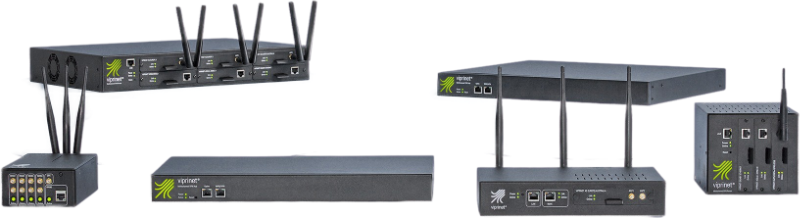
Firmware updates can be easily obtained from our routers via online update, optionally fully automatic.
Alternatively you can download the latest firmware images for your device here to install them manually.
The latest firmware version is dated June 2026, with the version number 2024043070/2026052550.
The focus of this firmware release is improving resiliency of VPN Hub models against DDoS attacks and TLS exploit scans. While we also have hardened some security parameters, this is mostly about preventing exploit scans and bots to eat up system resources, slowing VPN Hubs down.
In addition to this a couple of small fixes have been implemented.
This is the final release for all old products that had been declared as Out of Service. For further information, please consult our Firmware Support Matrix.
Please be sure to read the Release Notes before installation.
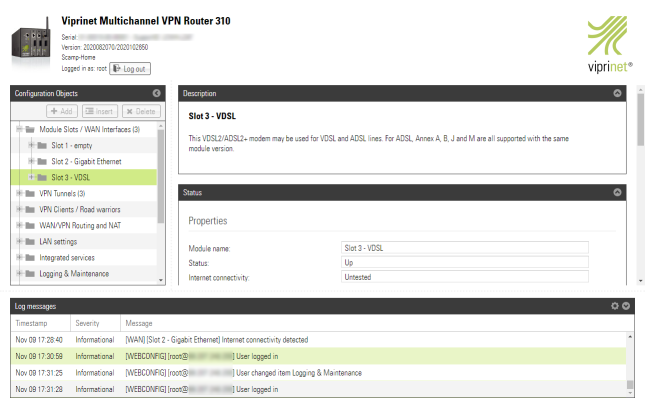
As an alternative to using physical VPN Hub hardware Viprinet offers virtual Multichannel VPN Hub instances. The Viprinet Virtual Hub is a pure software application that works like a physical hardware hub and can be operated e.g. as Amazon cloud service or as virtual machine on any server worldwide.

With the Viprinet manual you are perfectly equipped to configure your Multichannel VPN Router or Hub. The quick start guide is useful for simple usage scenarios that do not require deep inside-knowledge about all the routers' features.

The collection of Viprinet tools includes the Setup Tool for Windows, which allows you to perform the initial setup of your router.
Also included is the monitoring tool, which allows you to analyze the current bandwidth and performance of your VPN tunnels.
The SignalMonitor tool gives a good overview of the signal strengths of the LTE/5G modems, and helps to align antennas.
For professionals, there is also the "initconf" tool for Windows and Linux, which can be used to set up a router automatically from the command line.

Using the Viprinet monitoring apps for Android and iOS you may monitor the performance of your Viprinet devices from your phone. The tool also helps for adjusting the router antennas to be optimally aligned by observing the signal strengths.
The router monitor is available in the Google Playstore as well as in the Apple Appstore. With these, Viprinet routers can also be easily monitored via mobile phone, and e.g. the router antennas can be optimally aligned by observing the signal strengths.


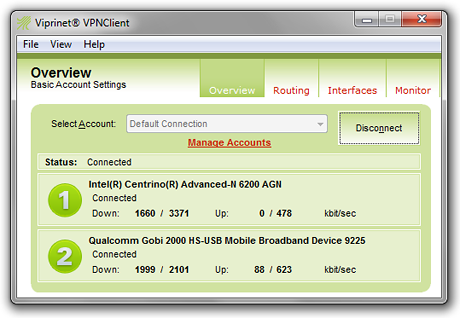
With the Viprinet VPN Client, field staff and home offices can be integrated securely and performantly into the company VPN.
While Viprinet routers also implement standard MIBs, this product-specific MIB allows you to analyze your Viprinet device in detail.

The Viprinet product folder gives a quick overview of the application area and technology behind Multichannel VPN Routers and Hubs. In addition, its most important advantages and the resulting application scenarios are briefly described and information on the entire Viprinet product portfolio is provided.

Detailed information about the VLM Service is available for download in a handy two-page brochure.

Our catalog of product data sheets provides comprehensive information on all our products and accessories.

This collection of Viprinet case studies presents companies that have mastered very individual challenges with our products.
